Scheduling
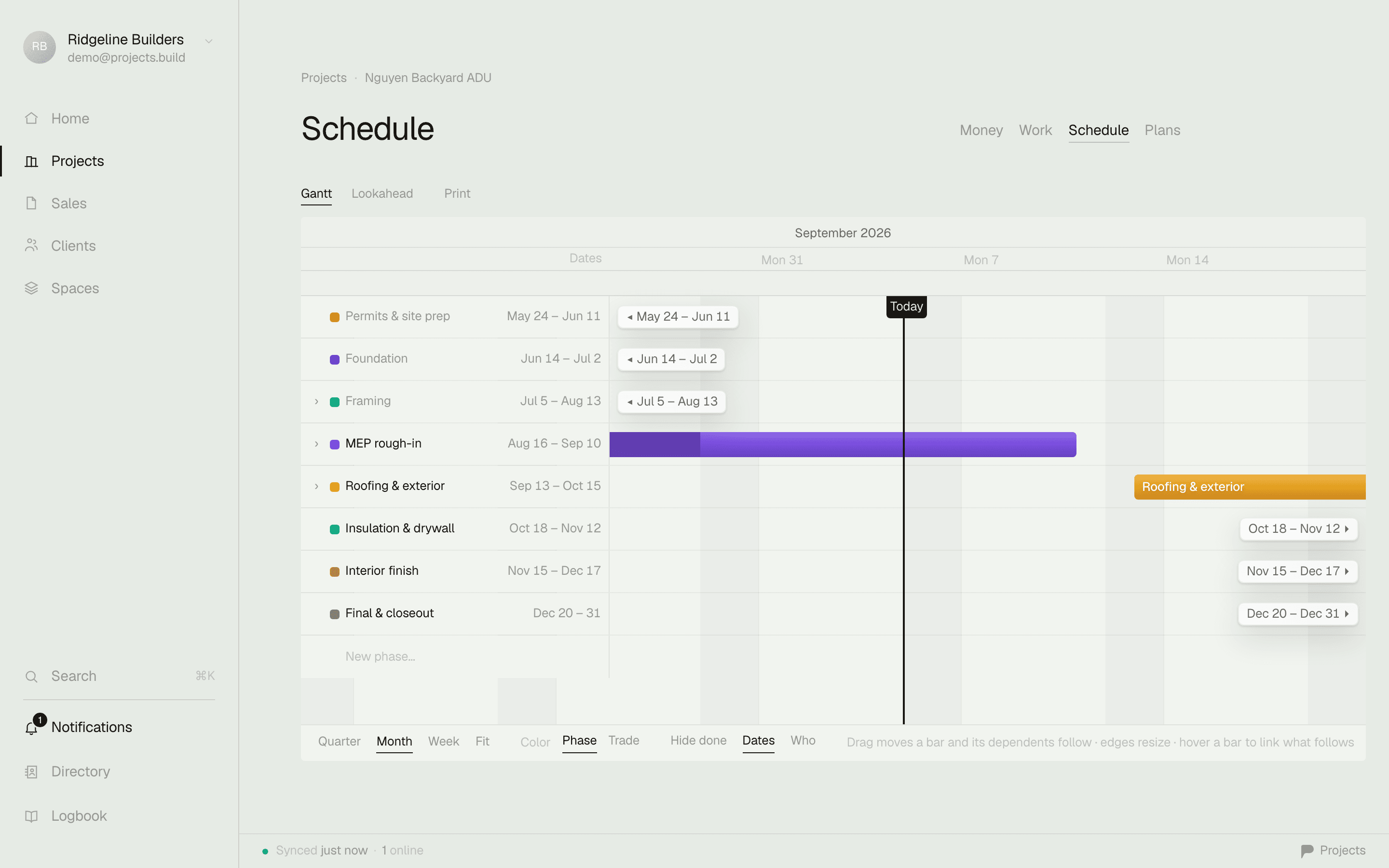
Drag a phase and the whole schedule updates.
A Gantt with real dependencies — move one bar and every phase wired after it follows. Draft it straight from the estimate you already priced, then work it at the week, the month, or the quarter.
Every bar knows what follows it.
Phases carry real dependencies, not just dates on a chart — drag one and everything sequenced after it moves too, no edit dialog and no re-import. Zoom out to a quarter for the client call, into a week for what's actually happening on site.
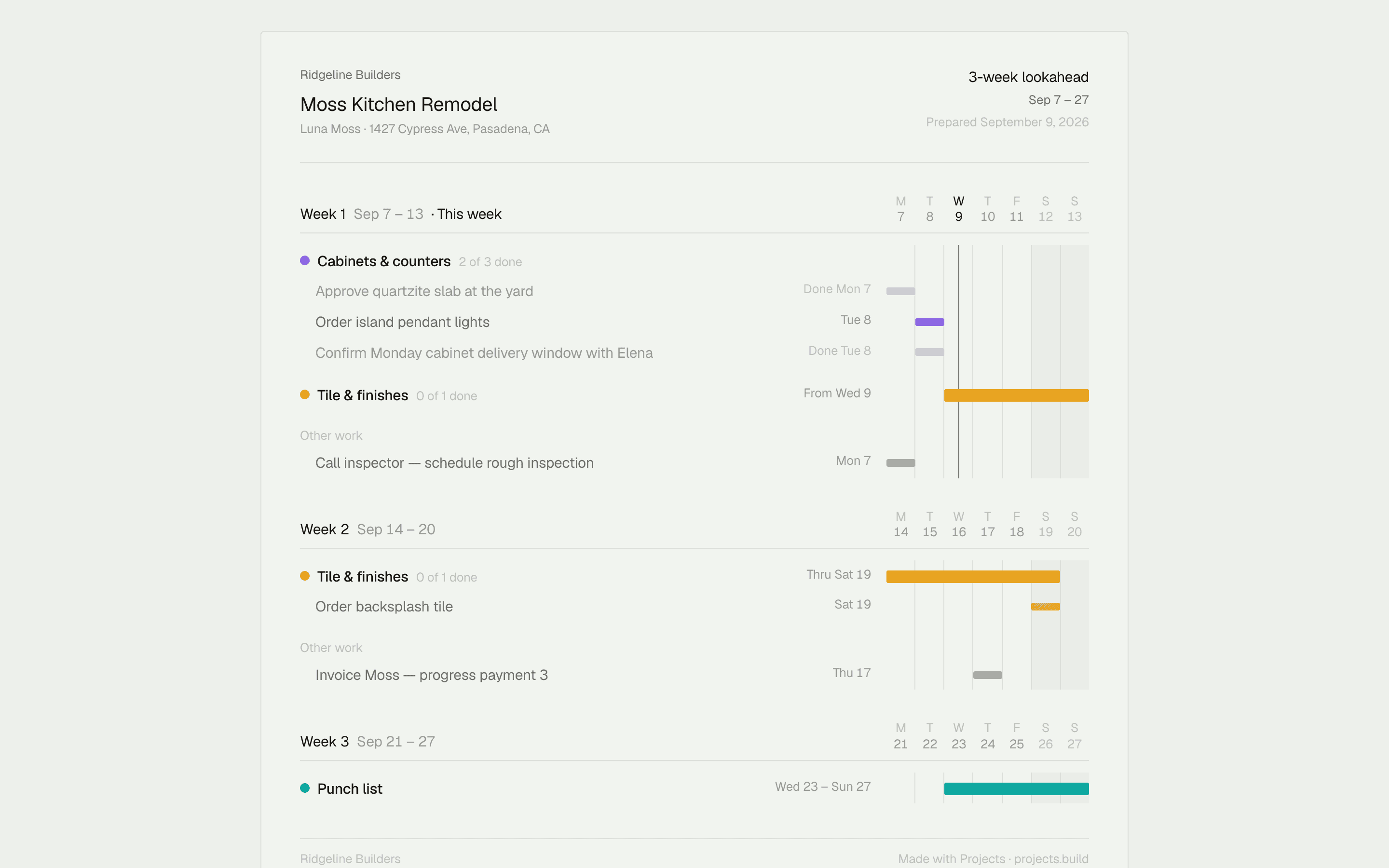
A lookahead you'd hand an architect.
Window the same schedule to three weeks — starting this week or next — and lay it out for paper. Print it for the job trailer, or export it for the one person on the job who'll never open the app.
Grab the free lookahead template
One link. Never a stale snapshot.
Milestones marked on the timeline carry straight through to the client's own page. Send one live schedule link and it always opens today's schedule — not the PDF you emailed three weeks ago.
The thing you priced becomes the thing you build.
Draft an empty schedule from the estimate's own line items — phases sequenced in trade order, with durations and inspection milestones worked out for you. It lands as ordinary phases and tasks: drag, rename, delete. The schedule is yours the moment it exists.