Field tools
Run the job from the field.
Talk through a site walk and it comes back as tasks, punch items, and expenses — each one a tap to keep. Dictate anything, pin a punch item to the plan standing in the room, and let the daily log draft itself from what actually happened. With or without signal.
Walk it
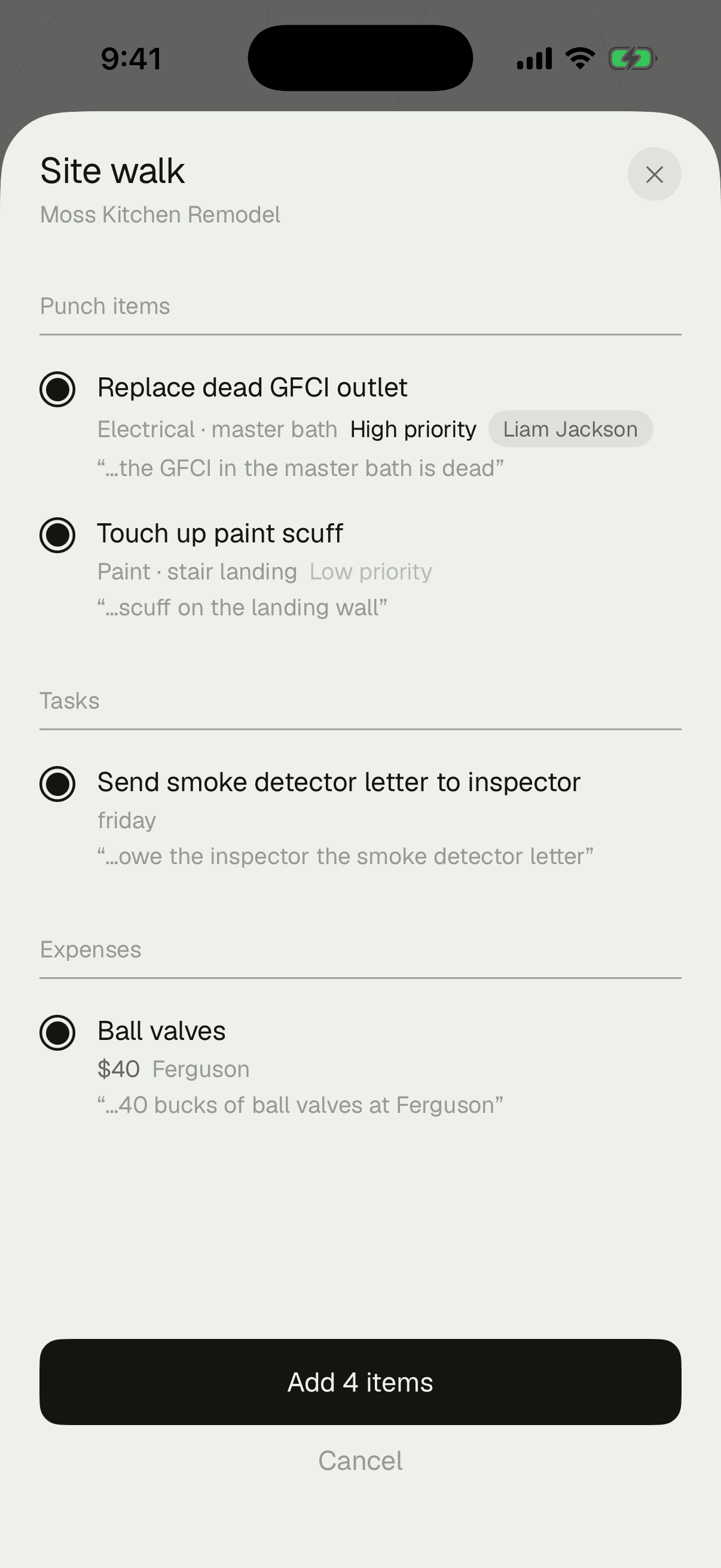
Talk through the walk. Get the punch list back.
Say it the way you'd tell your lead — what's wrong, what's done, what you spent. It comes back structured: tasks, punch items, and expenses, with trade and priority already filled in from how you said it, each one a tap to keep or skip. It's a review list, not a black box — nothing lands until you say so.
On the phone
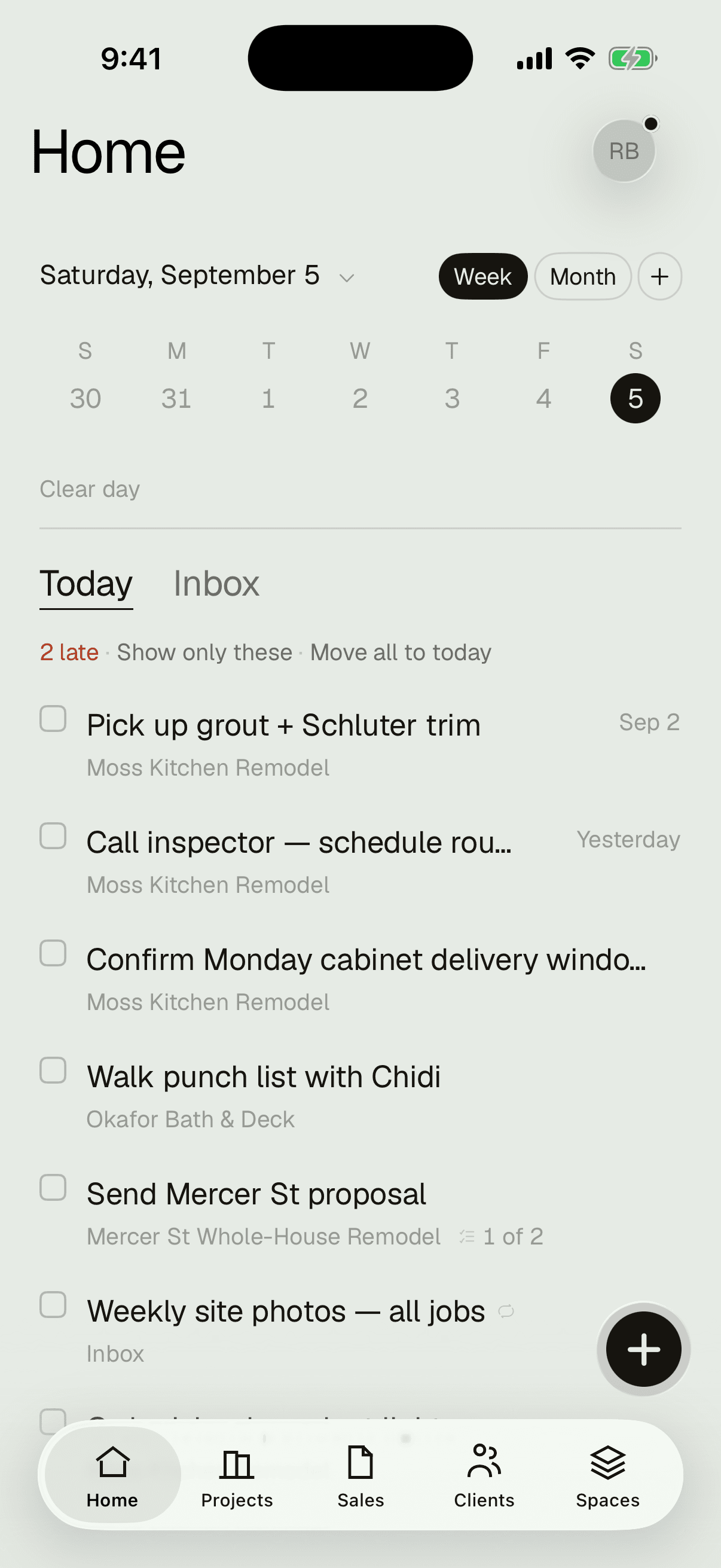
Today's work, the moment you open it.
Every job's tasks in one list, the overdue one on top — and quick add a thumb away.
Everything on the phone
Seven ways it saves you a trip back to the truck.
Dictation
Tasks, punch items, notes — on-device speech, so you're not typing with gloves on. Say it the way you'd think it: “call inspector tomorrow 8am” files itself, date and reminder set.
Quick capture
See a problem, shoot it, dictate what's wrong, pin it on the plan — standing in the room, before you've moved to the next one.
Punch pins
Every punch item lives at the exact spot on the sheet it describes, not on a list disconnected from the drawing.
Photo markup
Draw on the picture without touching the original — arrow it, circle it, note it, and the markup stays with the photo.
Daily logs
Crew on site, what happened, photos attached — or mark it a no-work day and say why. At day's end it drafts itself from what actually happened; nothing is filed until you confirm it.
Offline
Basements, framing stages, canyons — the app keeps working with no signal and syncs the moment you have bars again.
Widgets & Siri
Today's work on the lock screen, and a task captured through Spotlight or Siri without opening the app.
No compromises
Not a field companion. The whole app, natively.
Jobs, money, pipeline, estimates, punch, and plans — built for iOS 26, not a website in a wrapper. You can even edit and send an estimate from the phone, not just view one. Almost nowhere else lets you do that.