Job costs and billing
Each project's Money tab holds its budget, subcontracts, expenses, change orders and invoices, and works out projected profit from what you've paid and still owe.
Budget by cost code
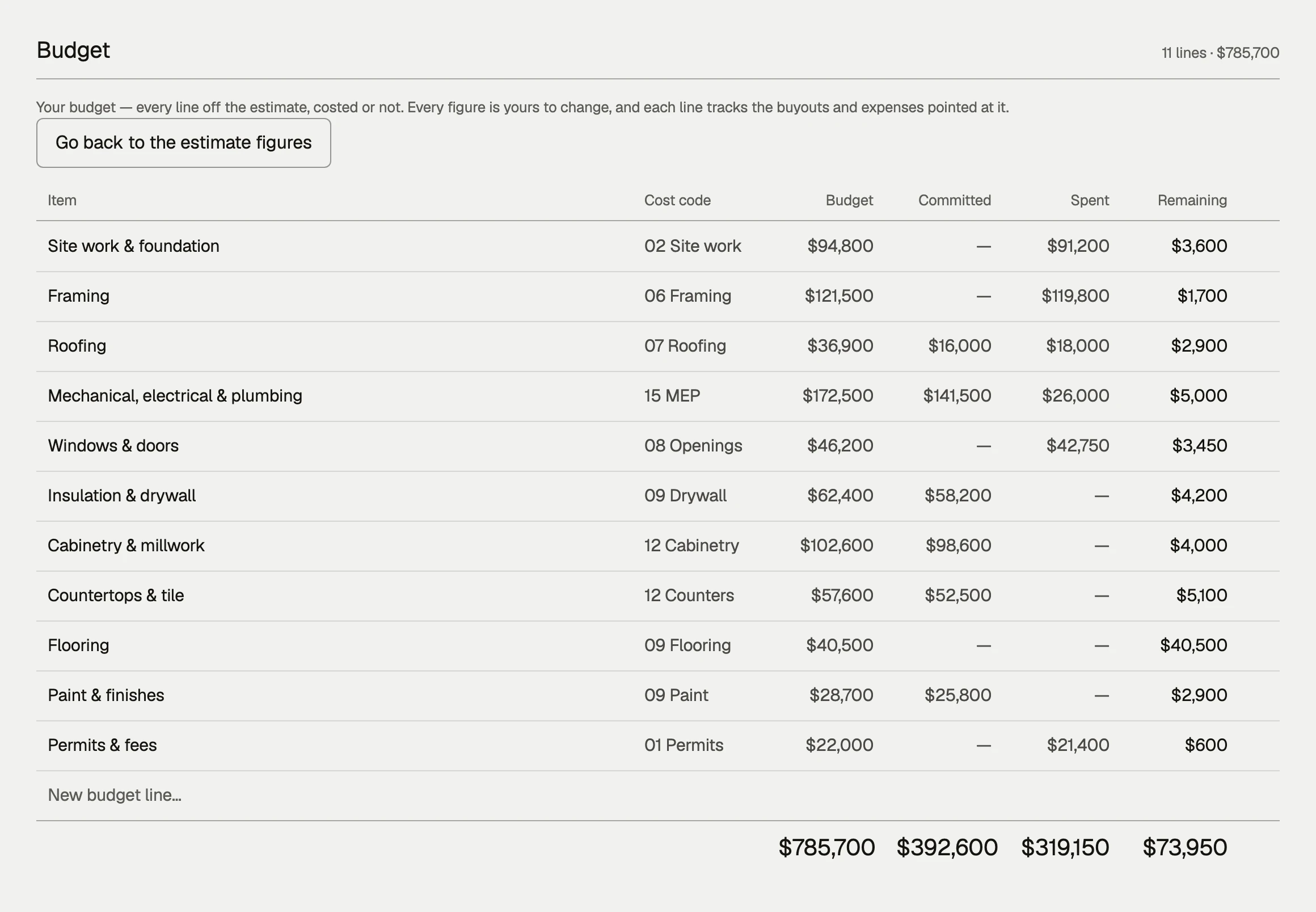
The budget starts as the cost of each line on the accepted estimate, plus approved change orders. Take it over to change any figure or add lines; each subcontract and expense you point at a line counts against it.
- Budget
- The line's cost on the accepted estimate, or your own figure once you take the budget over.
- Committed
- What's still owed on the subcontracts pointed at the line: each total minus its payments.
- Spent
- Expenses on the line, including payments to its subcontracts.
- Remaining
- Budget minus Committed minus Spent.
Projected profit
The figure at the top of the Money tab: the contract plus approved change orders, minus everything paid, minus what's still owed to subcontractors.
- Contract
- $985,000
- Paid to date
- $319,150
- Unpaid to subs
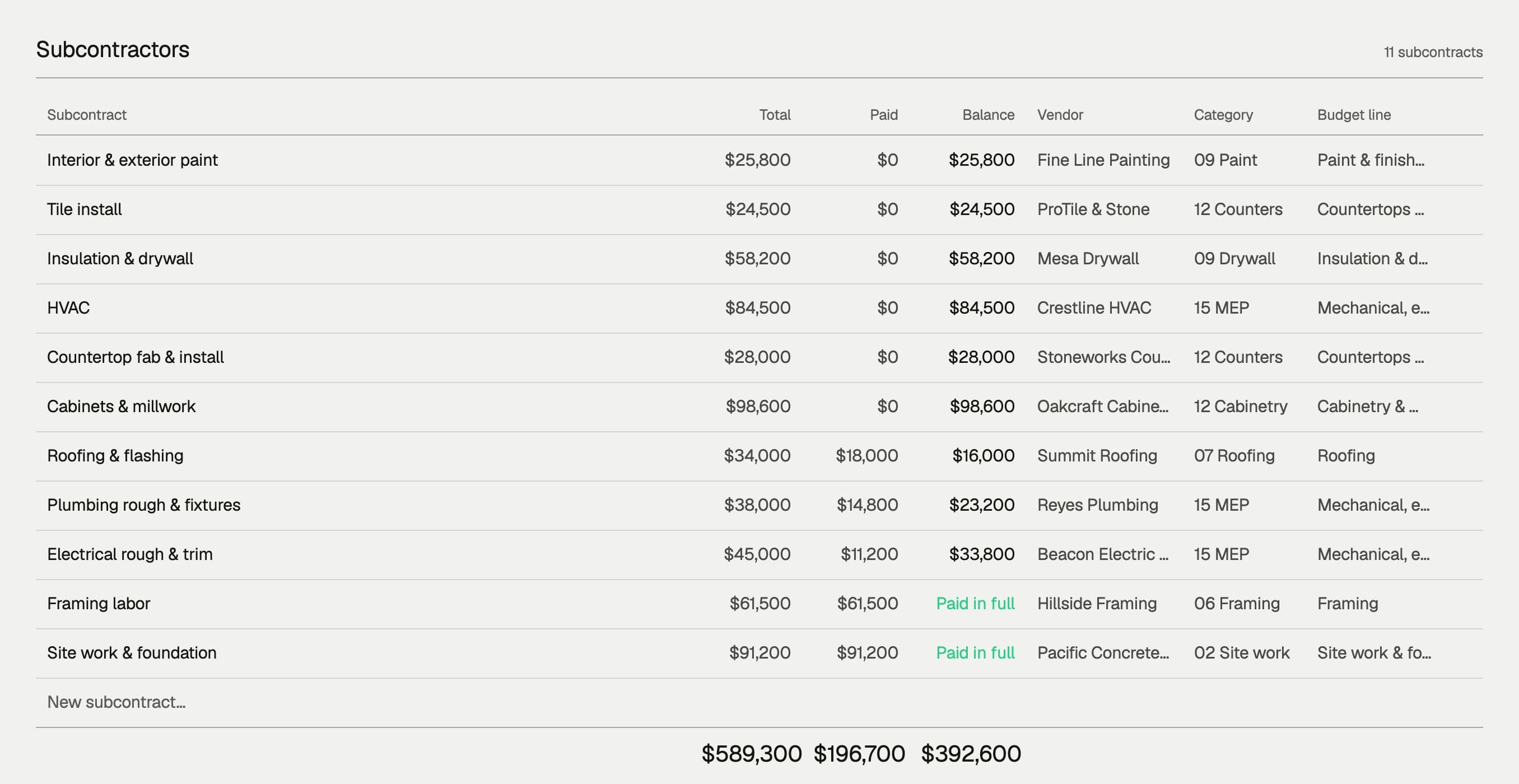
- $392,600
- Projected profit
- $273,250
The same Lindgren job. Budget you haven't committed or spent isn't subtracted: here $73,950 is still in the Remaining column, $40,500 of it flooring with no subcontract yet. Read the two together.
Subcontracts and expenses
Record each subcontract with its total and vendor, and point it at a budget line. A payment is an expense that applies to the subcontract: it moves that amount from Committed to Spent and lowers the balance.
- Expenses
- Description, amount, date, cost code, vendor, the line or subcontract it applies to, and a receipt image or PDF.
- Receipt scanning
- Projects reads the amount, date and vendor from a receipt image and fills in what's empty. On iPhone you check them before saving; on the web, edit the row after.
- Bid leveling
- Upload two or more subcontractor quotes as PDFs to compare them side by side, with exclusions and gaps listed. Uses AI runs.
Invoices and change orders
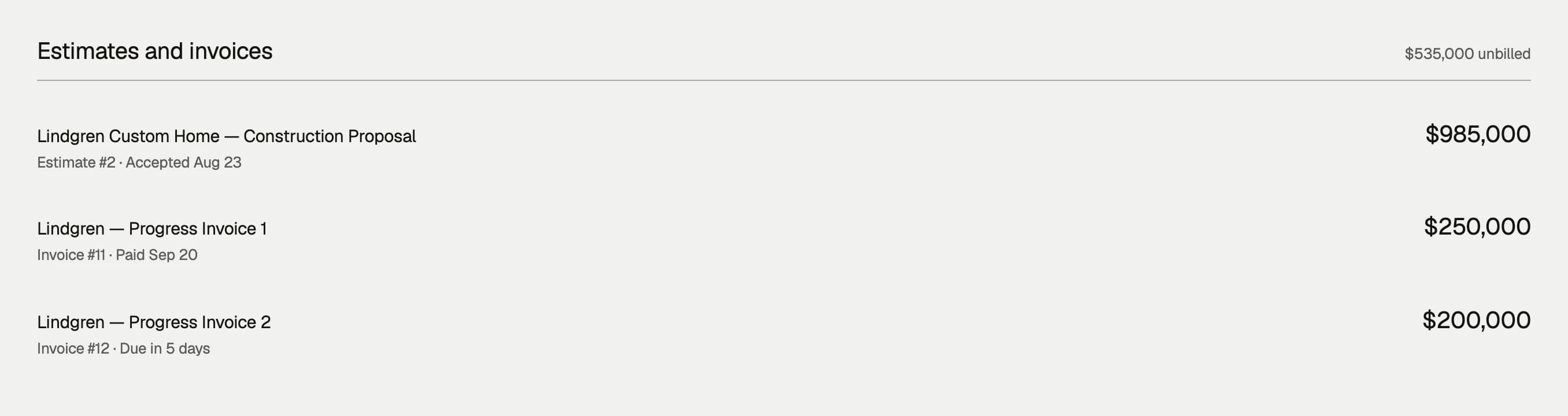
Bill from the accepted estimate, record payments as they arrive, and send change orders for the client to sign. Approved change orders are added to the contract total.

- Invoices
- Convert the accepted estimate into a draft invoice or start a new one. Invoice each draw on the estimate's payment schedule, or bill by line.
- Payments
- Record a payment by check, ACH, card, cash or other. The invoice shows what's paid and what's still due.
- Pay applications
- Bill each line by percent complete, with retention and stored materials.
- Lien releases
- Prepare California's conditional and unconditional releases for each subcontractor and for your client.
Invoices and sending change orders are on Starter and Pro. Invoicing draws, billing by line with retention, and bid leveling are on Pro. Compare plans
QuickBooks and Xero
There's no live connection to QuickBooks or Xero. Export invoices as a CSV in QuickBooks' import format, or export a project's Money tab as a CSV.