The directory
The sub book that used to live in your head.
Every sub and vendor you've dealt with — rated, noted, and linked to the jobs they worked and what you paid them — instead of kept in your head.
The book
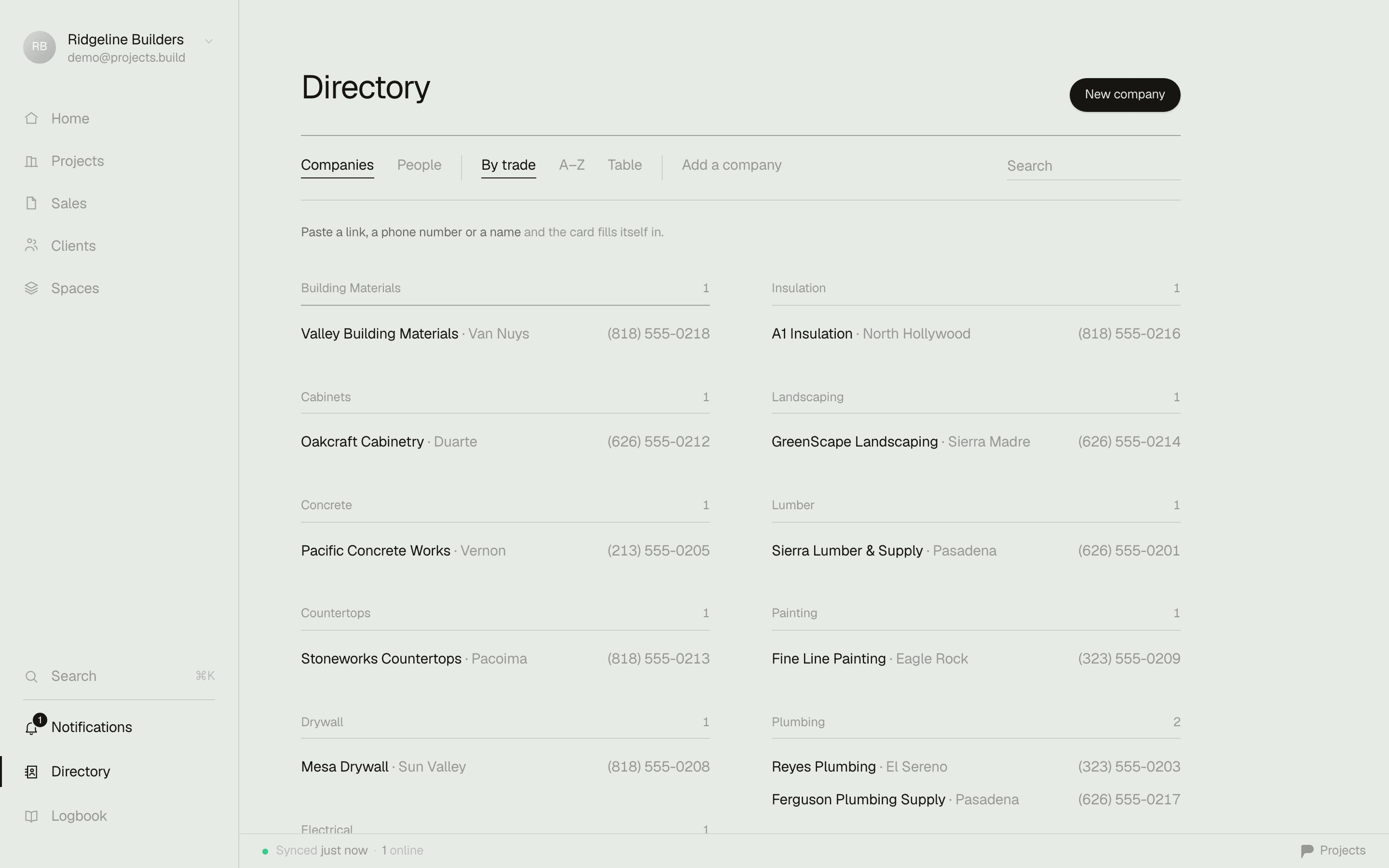
Grouped by trade. Best-rated first.
Open it and every company you've worked with sits banded under its trade — insulation, electrical, plumbing — with the one you'd call first already on top, because that's what the rating is actually for. It's not a list of who's on payroll: a prospect you're checking out sits in the same book as your best framer, filed the same way.
What's in it
Everything you'd otherwise have to remember.
None of this is a CRM bolted onto a task app — it's the same information every builder already tracks somewhere, just not scattered across a phone, a notebook, and a filing cabinet.
Ratings and notes
Rate a sub the way you already do in your head, and write down the one line that matters — showed up late, undercut everyone on the tile job, always answers — so it doesn't depend on remembering who told you that.
Linked to jobs — who was on what, and what they charged
Open a company and see every job they've worked, what you paid them on each one, and what's still on the books — the ledger your invoices already prove, laid out somewhere you can actually read it.
Trades and tags
Every company carries a trade and whatever tags you give it, so the electrician who did good work two jobs ago is one search away, not a name you're trying to place.
Fast lookup
Search by name, trade, city, or email and the list narrows as you type, across companies and people both — it works like the contacts app already on your phone, not a database you have to learn.
Add a sub from a photograph
Photograph the decal on a truck, a business card, or a yard sign, and Projects reads the signage and searches the web to fill in the trade, phone, and a named contact — a draft you check before anything's added, never an entry made on its own.
Private to your company
The book is internal — never a public profile, never a marketplace, nobody mining your subs. And you decide who inside the company opens it: field access works the job without ever seeing your contacts, your ratings, or what you pay.