Free template
The 3-week lookahead schedule template.
The short-interval plan that keeps crews, subs, and clients looking at the same three weeks. Print the blank template below and fill it in — or skip the template and generate one from your schedule.
Week 1
–Week 2
–Week 3
–How builders actually use a lookahead.
- 1.Start from the master schedule. Pull the phases that touch the next three weeks — nothing else belongs on the page.
- 2.Add the makes-or-breaks. Inspections, deliveries, client decisions due — the items that stall a week when they slip.
- 3.Share it before the week starts. Crew and subs on Friday, the client with the Monday update. One page, no login.
- 4.Redo it weekly. A lookahead is a cadence, not a document — which is exactly why the template gets old fast.
The faster way
Your schedule already knows all this.
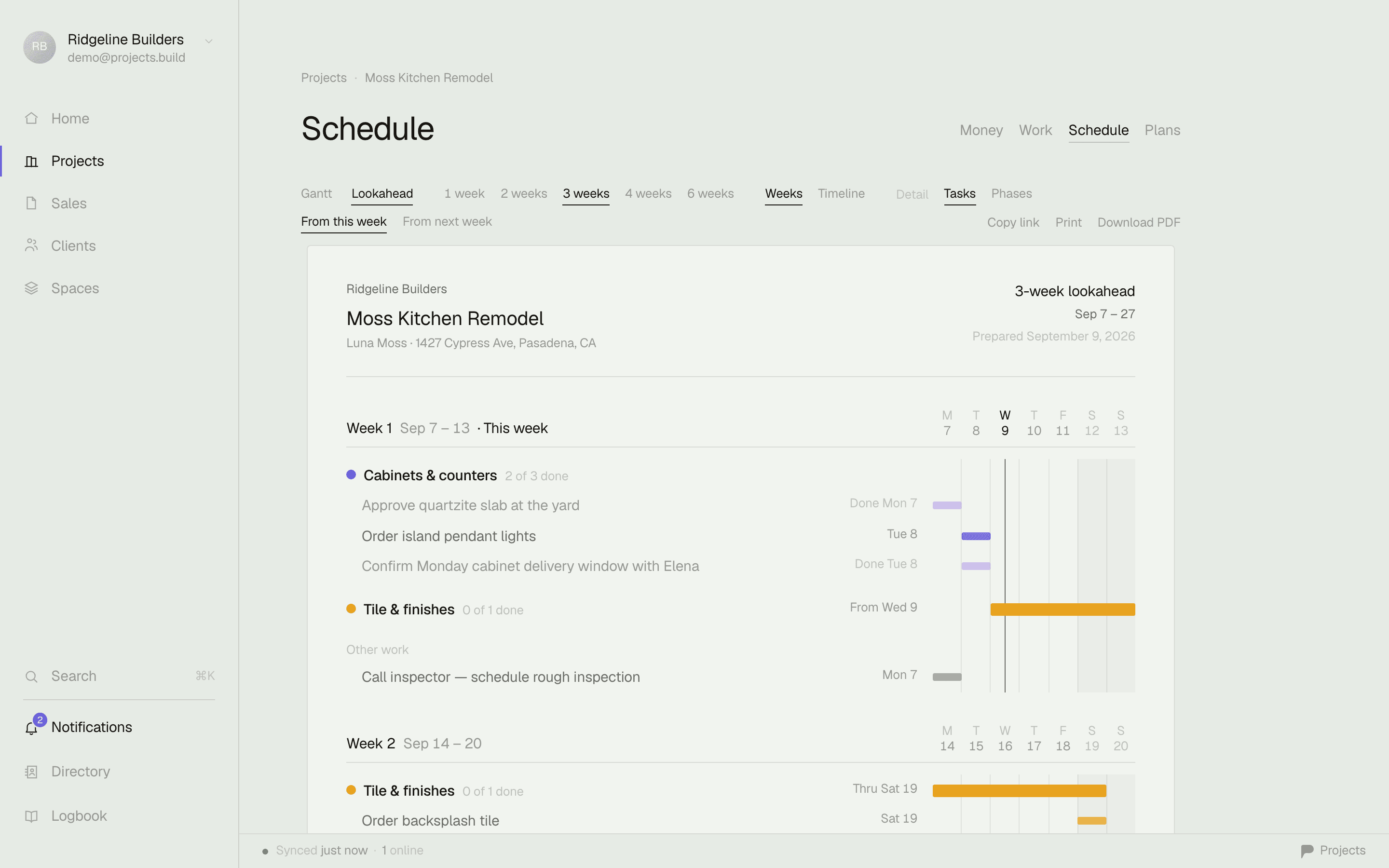
In Projects, the lookahead is one click: pick 1–4 weeks and it lays the window out on your letterhead — phases, tasks, milestones, this week flagged. Print it, or download the PDF and email it. Fresh every Friday without redrawing a thing.
Also grab the daily log template, the change order template, or the schedule of values template.
Lookahead questions, answered.
What is a 3-week lookahead schedule?
A rolling short-interval plan: this week plus the next two, broken down by day. The master schedule says where the job should end up; the lookahead says what's actually happening — which trades are on site, what has to be ordered, what the client should expect to see.
What should a lookahead include?
The phases active in the window, the tasks that make them real (inspections, deliveries, decisions due), and any milestones. Keep it to one page — a lookahead the crew won't read is just paperwork.
How often should I update it?
Weekly, usually Friday for the week ahead or Monday morning. That cadence is exactly why templates go stale — every week is a re-draw. Software that generates it from the live schedule removes the chore.
Excel, or scheduling software?
A spreadsheet works until the first change order. If your tasks and dates already live somewhere, the lookahead should fall out of them — in Projects it's one click: pick 1–4 weeks, print it or download the PDF.